Serial Port Configuration
COM Port Settings
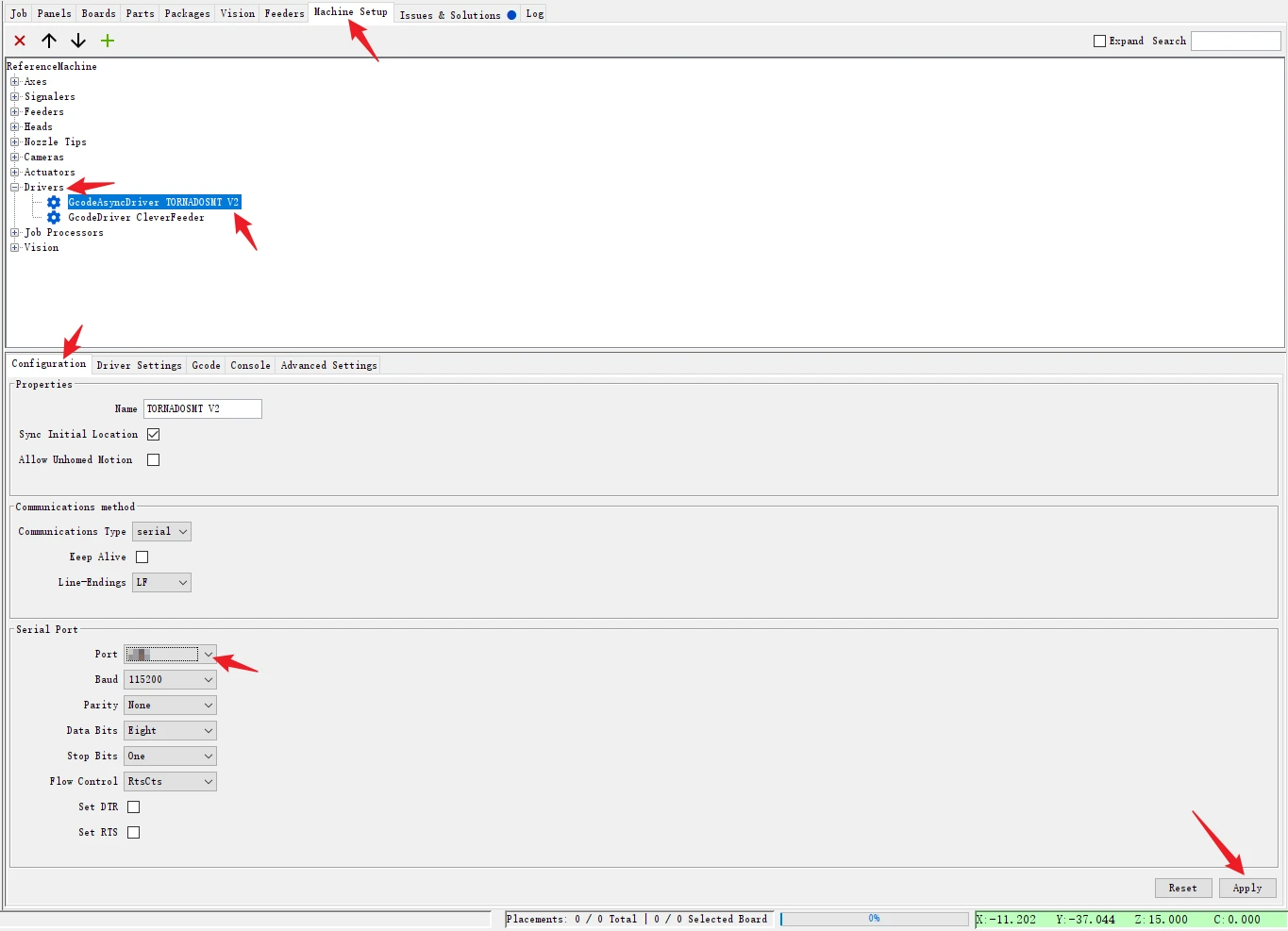
Operation Path:
Machine Setup → Dirvers → GcodeAsyncDriver TORNADOSMT V2 → Configuration
In the 【Port】 section, select the COM port number generated by the TornadoSMT motherboard.
Finally, click the Apply button in the bottom right corner.
Tip: Please check the COM port number in your computer's Device Manager, it is usually not COM1.
📝 NOTE
Do not make any changes to the 【GcodeDriver CleverFeeder】 for the time being.
Like
目前没有任何评论。
成为第一个发表评论的人。