Camera Configuration
📝 NOTE
If you are a new machine user, the camera device is version V2.1. If the camera's name does not start with TORNADO-V2, please be sure to follow this tutorial and prioritise
the firmware upgrade of the cameraCamera firmware upgrade。
1. Version Differences
Camera names recognised in the computer device manager:
V2.0 version (no longer available)
HBVCAM Camera(Bottom Camera)
Openpnp Heads Cmera(Top Camera)
V2.1 version (including new machines)
TORNADO-V2 Bottom Camera(Bottom Camera)
TORNADO-V2 Top Camera(Top Camera)
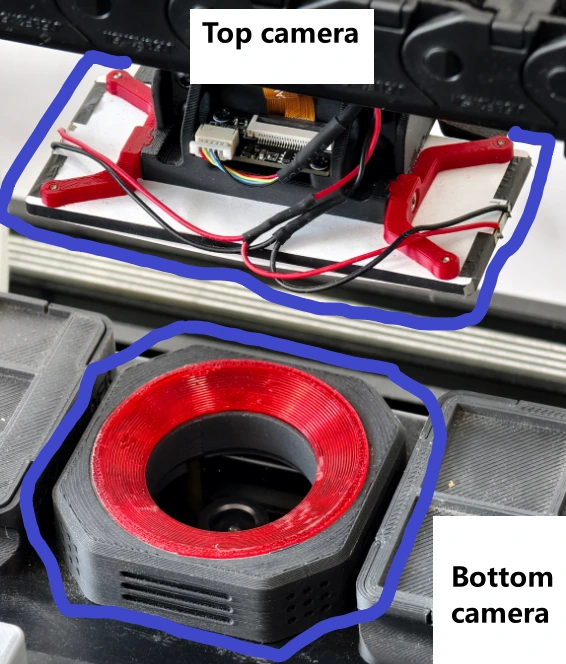
2. Top Camera Configuration
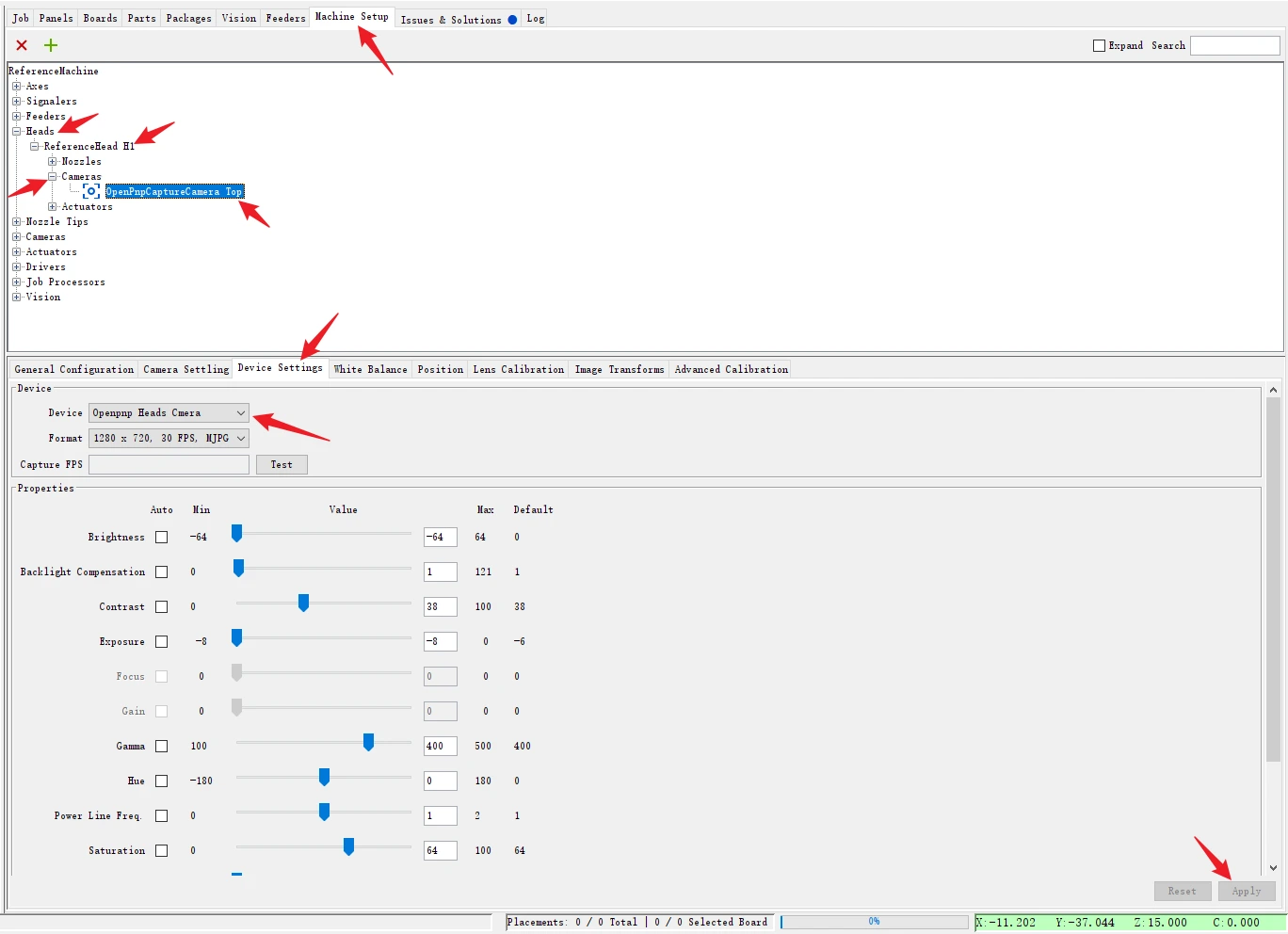
1. Operation Path
Machine Setup → Heads → ReferenceHead H1 → Cameras → OpenPnpCaptureCamera Top → Device Settings
2. Device Selection
Select in the【Device】section:
① V2.0 version users:Openpnp Heads Camera
② V2.1 version users:TORNADO-V2 Top Camera
Finally, click the Apply button in the bottom right corner.
3. Bottom Camera Configuration
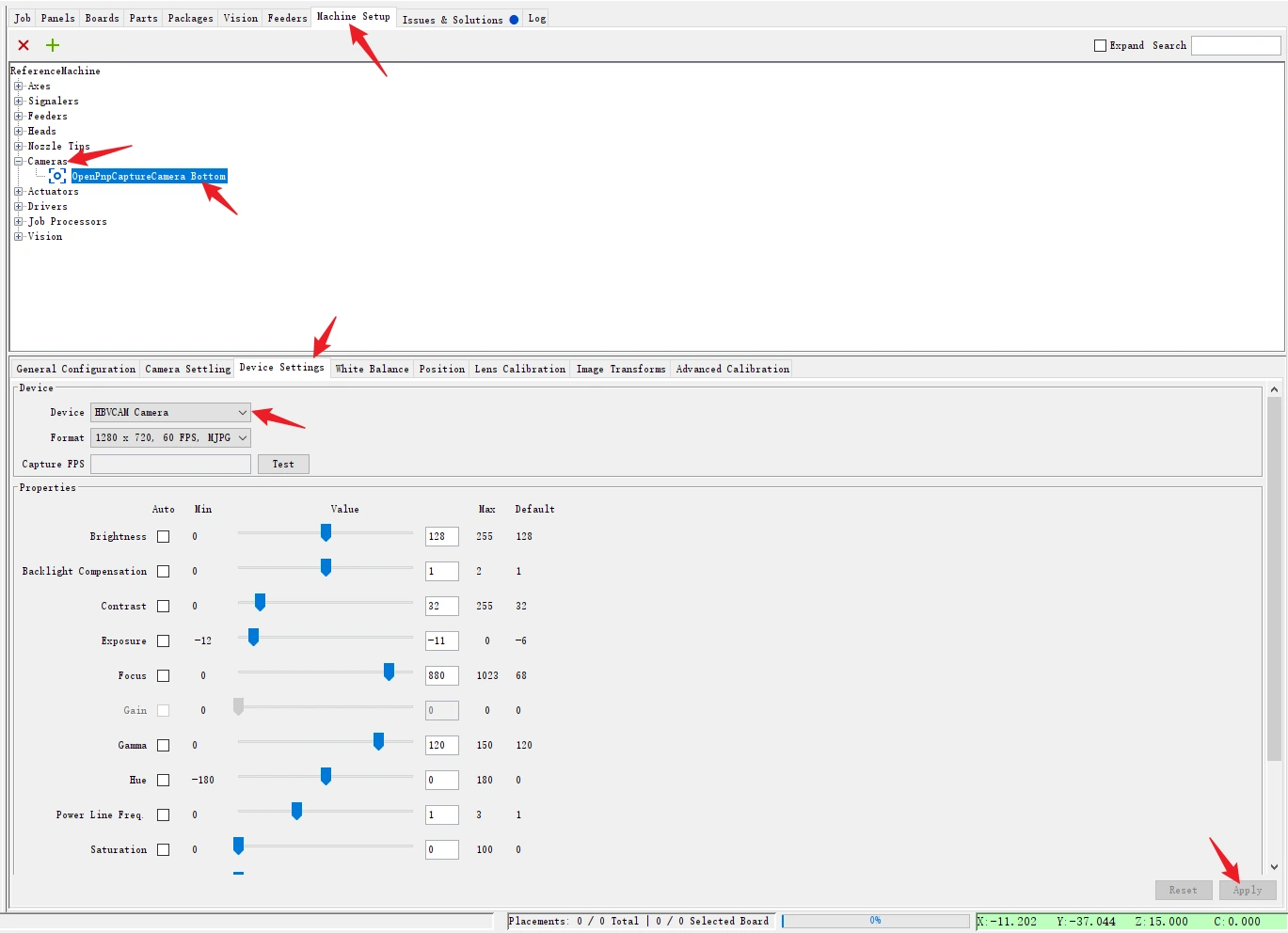
1. Operation Path
Machine Setup → Cameras → OpenPnpCaptureCamera Bottom → Device Settings
2. Device Selection
Select in the【Device】section:
① V2.0 version users:HBVCAM Camera
② V2.1 version users:TORNADO-V2 Bottom Camera
Finally, click the Apply button in the bottom right corner.
Like
目前没有任何评论。
成为第一个发表评论的人。