- How to use:
-- Turn on the TornadoSMT_V2 power switch;

-- Launch the OpenPnP software, go to the 'Scripts' menu at the top of the OpenPnP software, and click 'Open Scripts Directory';
-- Unzip or copy and paste the TornadoSMT folder from the compressed package into the directory opened in the previous step;
-- Again, go to the 'Scripts' menu at the top of the OpenPnP software, find the TornadoSMT option, click the One-Click-Deployment.py file, and wait a few seconds;
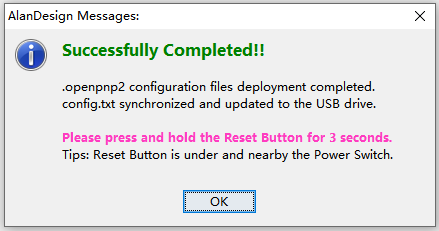
-- When the 'Successfully Completed!!' prompt window pops up, it means the one-click deployment has been done.
-如何使用:
--打开TornadoSMT_V2电源开关;
--启动OpenPnP软件,前往OpenPnP软件顶部的'脚本'菜单,点击'打开脚本目录'选项;
--将压缩包内的TornadoSMT文件夹,解压或复制粘贴到上一步打开的目录中;
--再次,前往OpenPnP软件顶部的'脚本'菜单,找到TornadoSMT选项,点击One-Click-Deployment.py文件,等待几秒钟;
--当弹出'Successfully Completed!!'提示窗后,即代表,一键部署成功完成。
使用演示: